%20copy-1.png?width=300&height=80&name=petszel-horizontal%20(3)%20copy-1.png)
How to Input your Hill's Shelter ID (don't know it? Check Here):
-
Log in to your shelter Petszel dashboard here.
-
Validate your Hills credentials
-
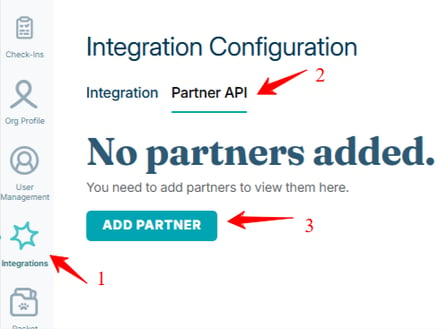
In the left menu, go to Integration Settings and click the Partner API tab. Then click Add Partner.
-
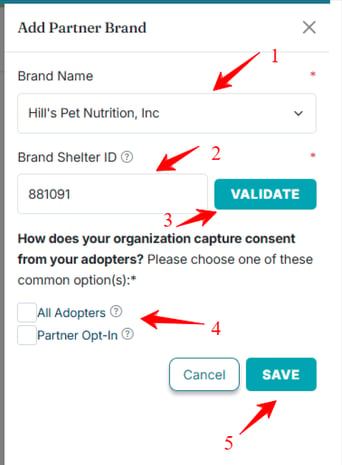
In the right fly-out, select (1) Hill's Pet Nutrition, Inc from the Brand Name dropdown. Type your (2) Brand Shelter ID number (can be found using link above) and click (3) Validate. Then, check the box (4) for your consent method (options may look different depending on which shelter software you use). Click (5) Save. 🙌
-