%20copy-1.png?width=300&height=80&name=petszel-horizontal%20(3)%20copy-1.png)
To connect your Shelterluv account with Petszel, you’ll need to request an API key from the Shelterluv team. It’s fast and easy!
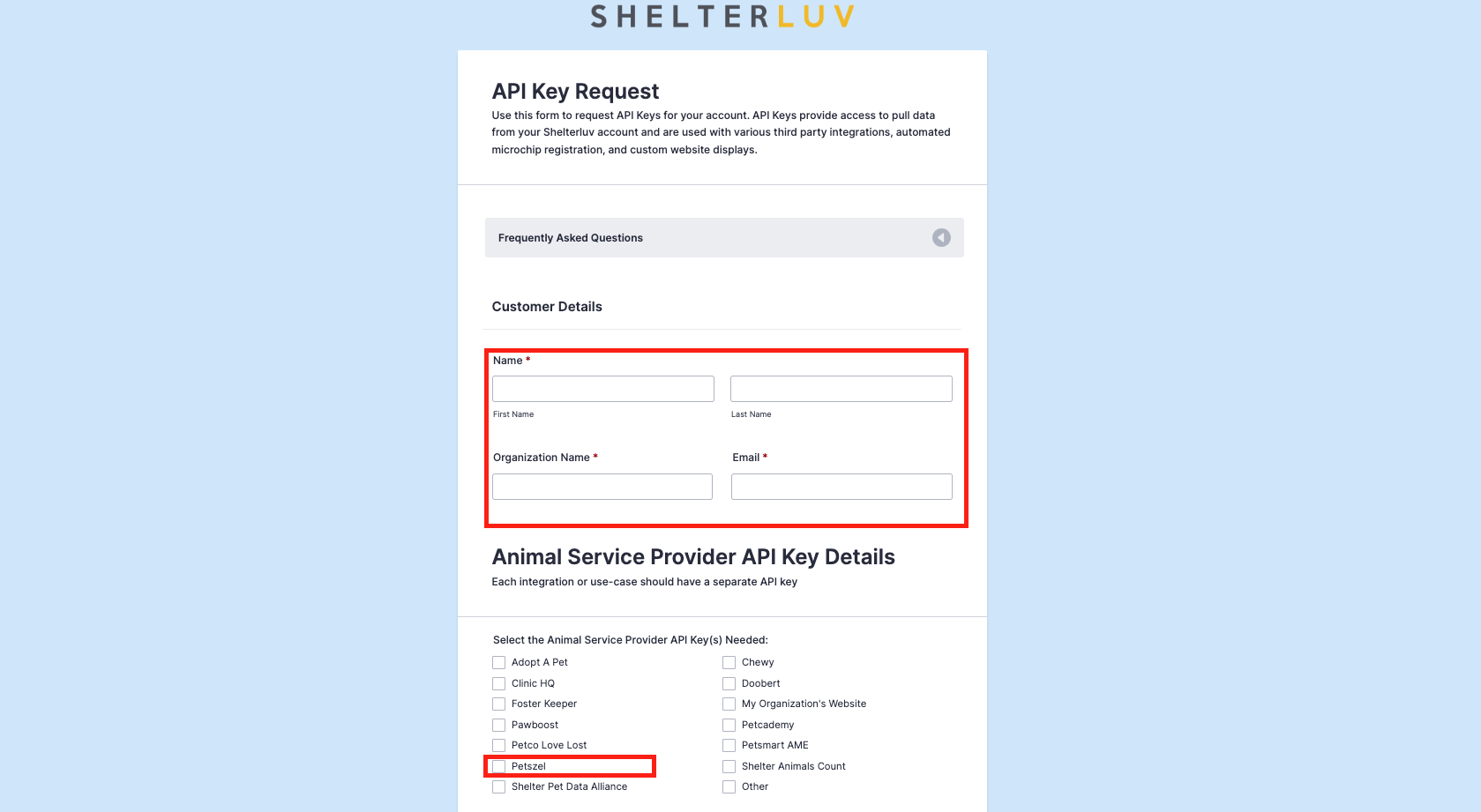
- Request your API key from Shelterluv. Fill out this form to request your API key: Shelterluv API Request Form. Shelterluv will email you the credentials.
- When completing the form, in the section that asks for "Select the Animal Service Provider API Key(s) Needed" select Petszel.
-
Add the credentials in your Petszel dashboard.
- Log in to your Petszel dashboard with the username and password you signed up with.
- Go to Integrations > Add Integration
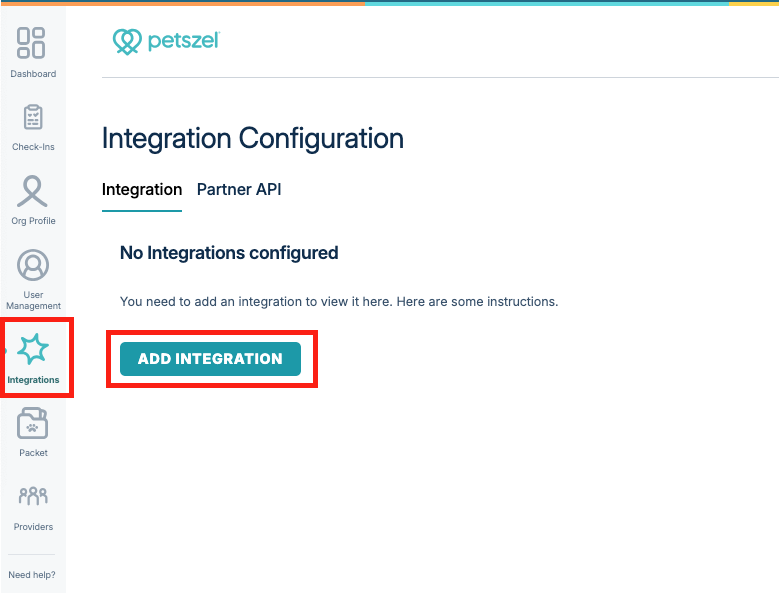
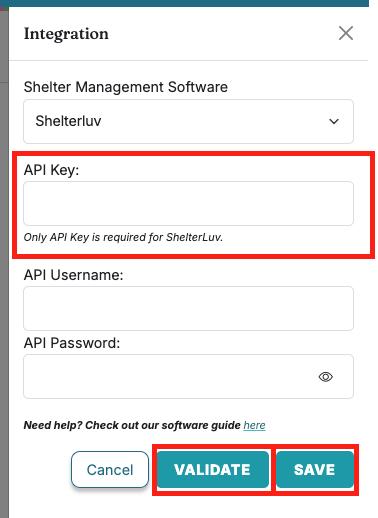
- In the flyout menu, select Shelterluv from the Shelter Management Software dropdown. Enter API key:
- Click Validate. Then Save.
- Go to Integrations > Add Integration
Our team will take it from there! We'll connect your account and set up a quick test drive to make sure everything’s working smoothly.
- Log in to your Petszel dashboard with the username and password you signed up with.