%20copy-1.png?width=300&height=80&name=petszel-horizontal%20(3)%20copy-1.png)
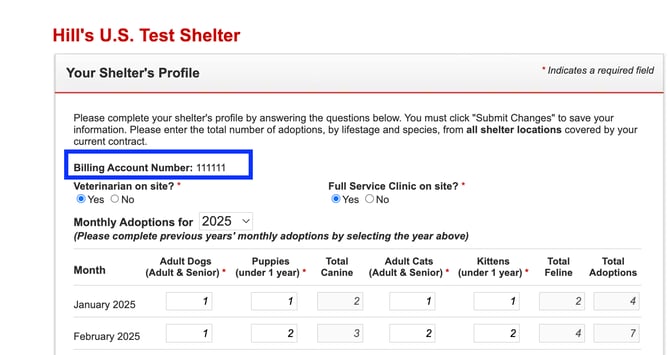
For the Hill's Food Shelter Love Program, your Brand Shelter ID is your "Sold-To" account number. You can find this in your Hill's Shelter Portal.
1. Login to your Hill's Shelter Portal https://www.hillspet.com/food-shelter-love/my-shelter/shelter-profile
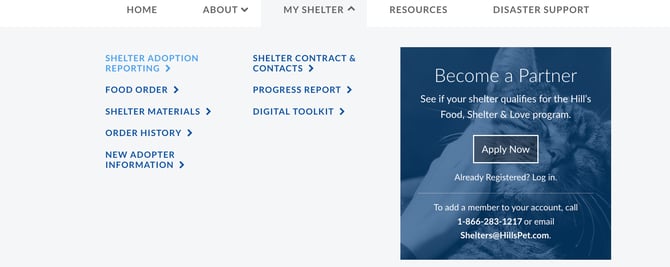
2. Click My shelter and navigate to the "Shelter Adoption Reporting" page
3. You can find your shelter sold to account number next to "Billing Account Number" on this page