%20copy-1.png?width=300&height=80&name=petszel-horizontal%20(3)%20copy-1.png)
Where to find it: Settings > Staff & Access (the page is titled "User Management")
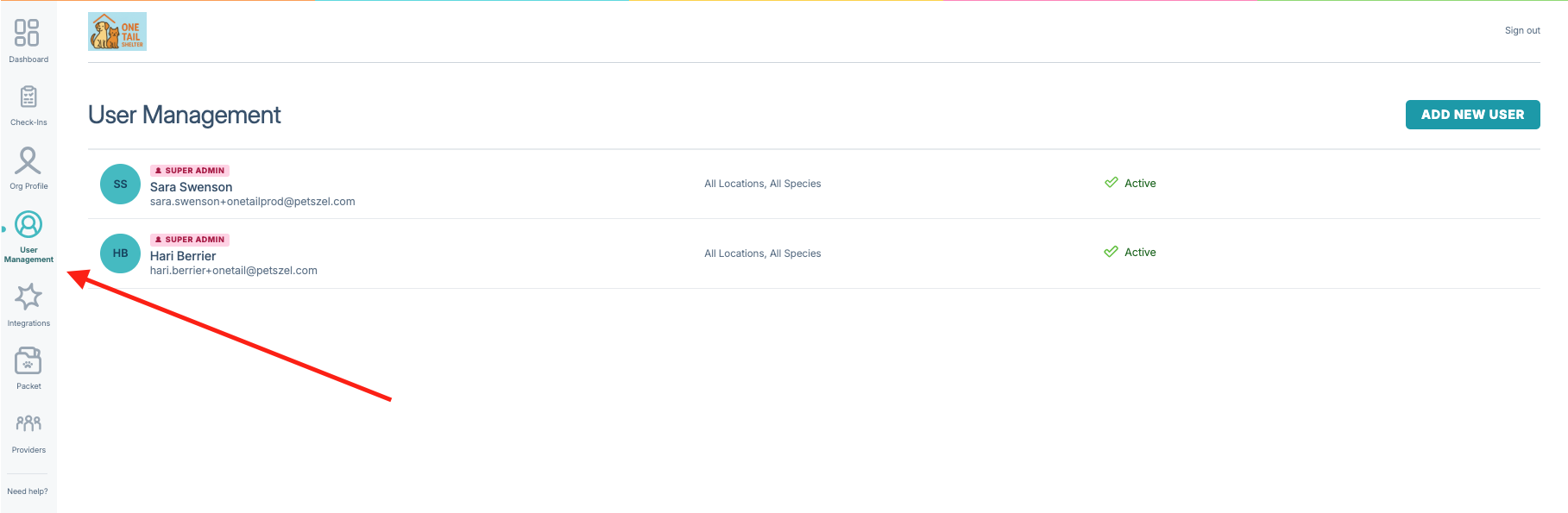
Inviting a new staff member
- Go to the left hand navigation > User Management
- Click "Add New User" in the top right.
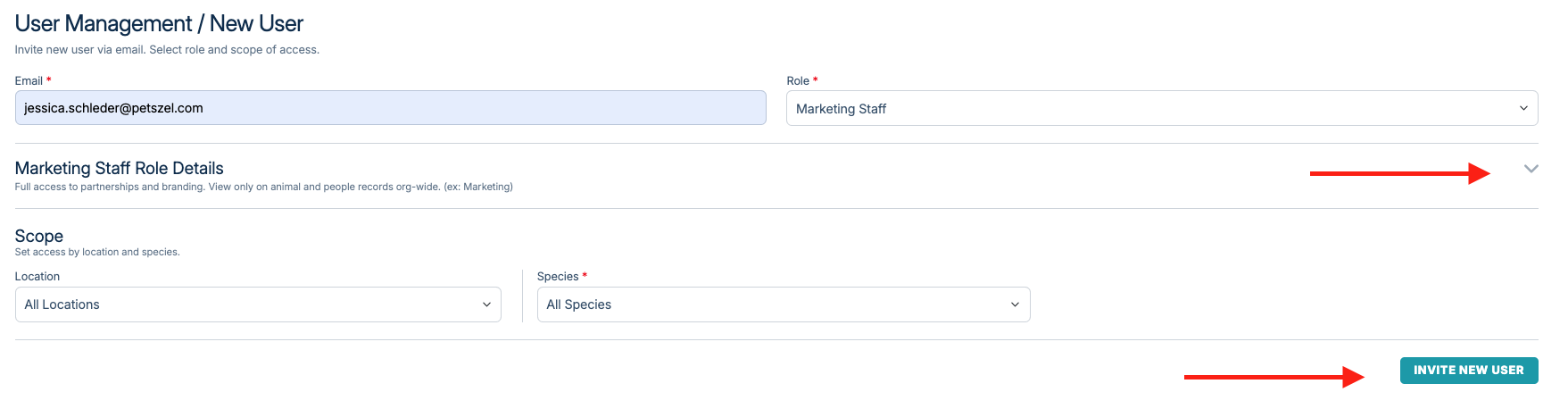
- Enter their details and assign a role. Roles determine which dashboard areas and data they can access. You can see the access available per role by expanding the Role Details Section.
- Send the invite. They'll get an email to set up their account.
Invites expire after 24 hours. If someone doesn't complete setup in time, you'll need to resend the invite.
Editing a staff member's access
- From the User Management list, select the staff member you want to update.
- Adjust their role or permissions as needed.
- Changes take effect immediately, they don't need to log out and back in.
The list shows each person's job title and sorts by most recently added, so it's easy to spot who just joined.
Removing access
You can delete a staff member from the User Management list when they've left the organization. This is the only option available today; there's no suspend/temporary-hold feature yet, so deleting is the way to revoke access.
How permissions work
Permissions are enforced everywhere in the dashboard, not just on the User Management page. That includes the Organization Profile, Integration Settings, Adoption Packet, Providers, Surveys, and the main Dashboard. If a staff member's role doesn't include a page, that item won't even show up in their left-hand navigation. If they try to access something directly (like an old bookmarked link) they'll see a clear "you don't have permission" message instead of an error.