
Before you begin
- Confirm the adopter’s correct contact details before you save them.
- Changing the email does not notify the adopter, so let them know separately if they need to take action, such as logging in to their new Petszel account.
First, Update Email. This creates the Petszel account.
- On the pet parent profile page, click the Add Email button. Then enter the adopter's email
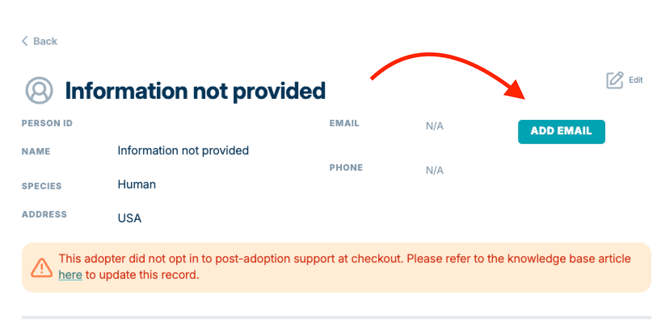
- Click Add Email.
- If you entered an email address, a Petszel account is created for that address. No email, text, or other communication is sent to the adopter.
Then, Update Contact Information
- Open the adopter’s Pet Parent Profile.
- Click the gray edit button in the upper right hand corner.
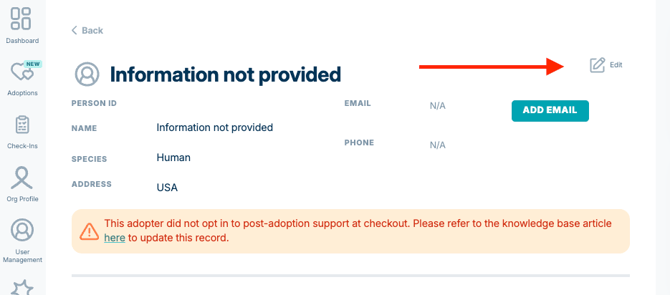
- Complete the required fields.
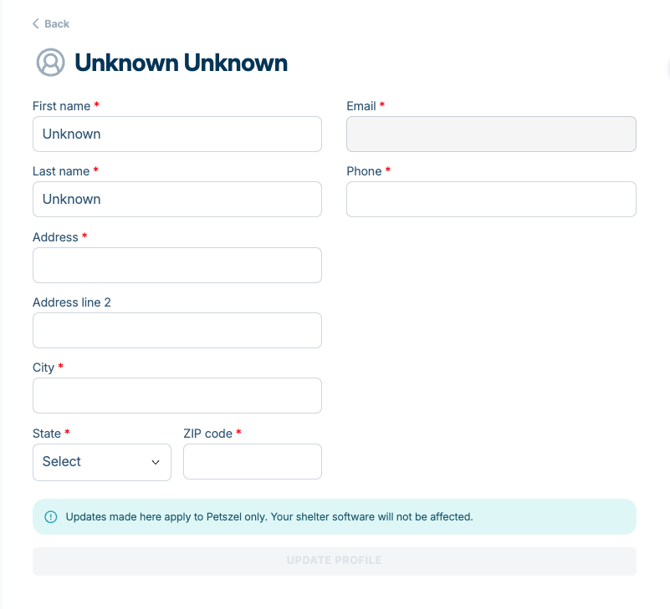
- Click Update Profile.
What happens after you update an email
- A Petszel account is created for the email address you entered.
- A confirmation email is sent to the new email address. No Post-Adoption communications are triggered.
- No partner opt-ins are registered.